
Connect an AI assistant
Ask claude.ai, ChatGPT, Claude Code, Cursor, VS Code or Claude Desktop about your royalties, ad spend and net profit. The TrueRoyalties MCP server connects with a sign-in or with your API key, and reads the same figures as the API.
The TrueRoyalties MCP server lets an AI assistant read your figures and answer questions in plain language: "What did I earn net last month?", "Which book costs me the most in ads?". MCP (Model Context Protocol) is the standard these assistants use to connect to outside tools.
It is read-only: the assistant sees exactly what the TrueRoyalties API sees, and can change nothing. claude.ai and ChatGPT connect with a sign-in. Developer tools use an API key.
The server address, for every assistant: https://author.trueroyalties.com/api/mcp
claude.ai and ChatGPT
- In claude.ai, open Customize → Connectors → Add custom connector. In ChatGPT, turn on developer mode, then add a connector.
- Paste
https://author.trueroyalties.com/api/mcpand click Connect. - Sign in to TrueRoyalties if asked, check which app is asking, then click Allow.
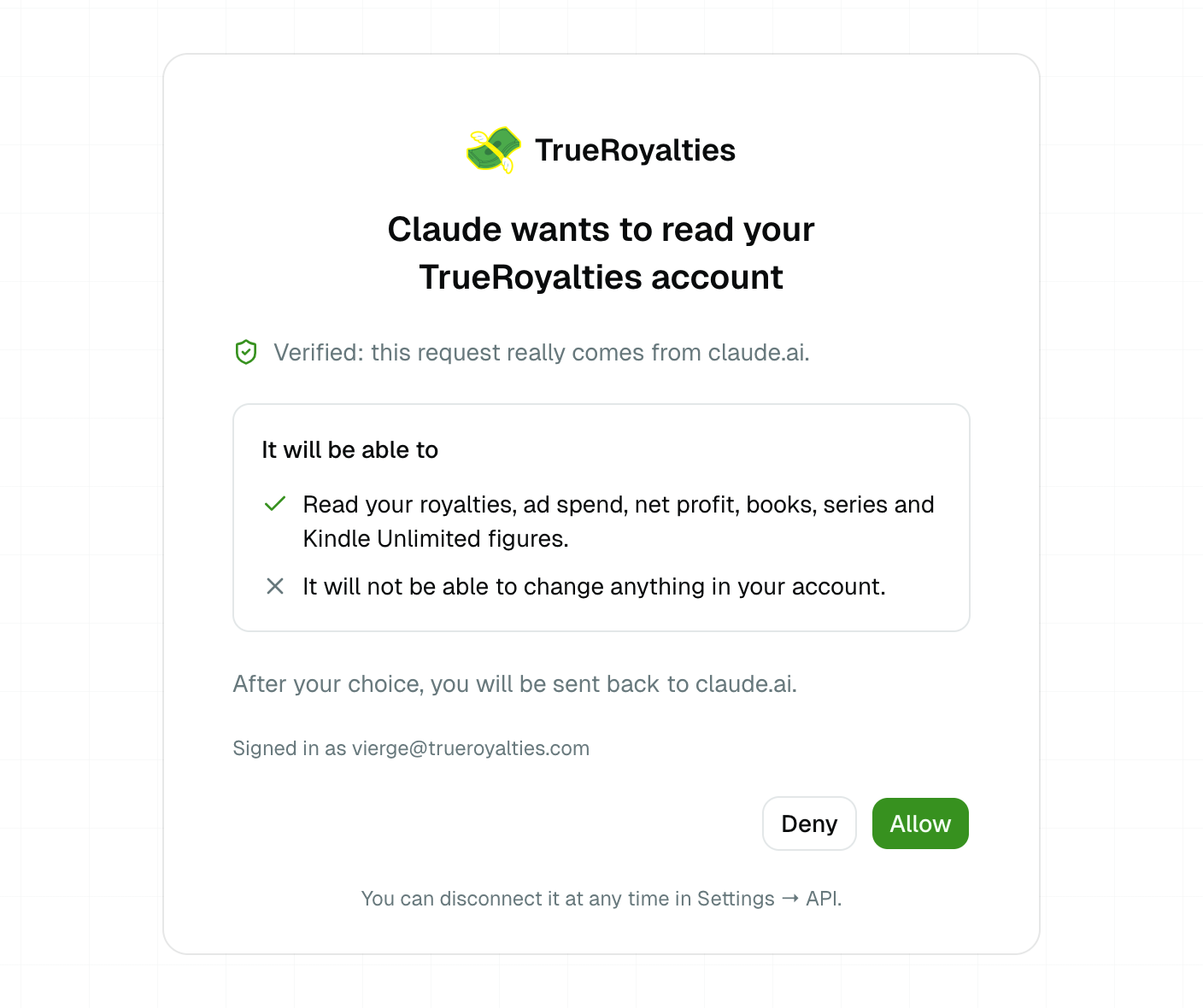
Back in the assistant, ask your question. Depending on the app, you may need to turn the connector on for a conversation.
- No key to copy. The assistant gets its own access, which can only read.
- Disconnect it at any time in Settings → API → Connected apps. It stops reading your figures immediately.
- ChatGPT only offers custom connectors in developer mode, on its paid plans. A free Claude account can add one custom connector.
Developer tools
Claude Code, Cursor and VS Code use an API key:
| An API key | Settings → API → Create a key. Name it after the assistant, for example "Claude Code". |
| The server address | https://author.trueroyalties.com/api/mcp |
The key reads your whole account. Keep it out of shared files where a client lets you, and revoke it in Settings → API the day you stop using the assistant.
Claude Code
Run this in a terminal, with your key in place of YOUR_API_KEY:
claude mcp add --transport http trueroyalties https://author.trueroyalties.com/api/mcp \
--header "Authorization: Bearer YOUR_API_KEY"- Check it with
claude mcp list, or/mcpinside Claude Code. - The server is added to the current project. Add
--scope userto use it in all your projects. - To remove it:
claude mcp remove trueroyalties.
Cursor
Add the server to ~/.cursor/mcp.json (all your projects) or to .cursor/mcp.json
(one project):
{
  "mcpServers": {
    "trueroyalties": {
      "url": "https://author.trueroyalties.com/api/mcp",
      "headers": {
        "Authorization": "Bearer ${env:TRUEROYALTIES_API_KEY}"
      }
    }
  }
}
Cursor reads the key from the TRUEROYALTIES_API_KEY environment variable, so the
file never contains it. Set that variable in your shell before you open Cursor.
VS Code
Open MCP: Open User Configuration from the Command Palette (all your projects),
or create .vscode/mcp.json in a project, and add:
{
  "inputs": [
    {
      "type": "promptString",
      "id": "trueroyalties-api-key",
      "description": "TrueRoyalties API key",
      "password": true
    }
  ],
  "servers": {
    "trueroyalties": {
      "type": "http",
      "url": "https://author.trueroyalties.com/api/mcp",
      "headers": {
        "Authorization": "Bearer ${input:trueroyalties-api-key}"
      }
    }
  }
}
VS Code asks for the key the first time the server starts and stores it for you, so the file never contains it.
Claude Desktop
Claude Desktop uses the same connectors as claude.ai. Add the connector as described in claude.ai and ChatGPT, from claude.ai or from Claude Desktop's own connector settings, then sign in and click Allow.
What you can ask
The assistant picks the right tool for your question. Each tool reads one part of the API.
| Tool | Reads | Example question |
|---|---|---|
get_account | Your account: currency, subscription, connected platforms | "Are my platforms up to date?" |
list_books | Your catalogue | "Which books do I have?" |
list_series | Your series and their books | "What are my series?" |
get_summary | The totals of a period | "What did I earn net last month?" |
get_timeline | The same figures over time | "How has my profit moved since January?" |
get_books_report | One line per book | "Which book costs me the most in ads?" |
get_marketplaces_report | One line per marketplace | "Where do I sell best?" |
get_kenp | Kindle Unlimited pages read | "How many KU pages were read this month, and how many thanks to ads?" |
get_free_units | Free downloads | "How many free downloads did my promotion bring?" |
get_series_read_through | The read-through of one series | "How many readers of book 1 go on to book 3?" |
Good to know
- Same figures as the app and the API. Each answer says which period and currency it used, and says so when a figure is incomplete.
- Same limits as the API, shared with it: 60 requests per minute and 10,000 per day for your account. An assistant can make several calls for one question. See Limits and errors.
- Try it without an account in a developer tool. The public demo key shown on the API reference works here too. It reads the demo account's synthetic figures, not yours.