
Amazon Attribution
See which of your ads outside Amazon — Facebook, TikTok, Google, your newsletter — bring Amazon sales, Kindle Unlimited pages and royalties, and what each one cost.
What it measures
Amazon Attribution is Amazon's own measurement of sales that come from outside Amazon. You put a special link in your ad, email or post. When a reader clicks it and buys or reads on Kindle Unlimited within 14 days, Amazon credits that link.
TrueRoyalties reads those results every day and shows, per link and per book: clicks, orders, pages read, the royalties they represent — and, when the link is in a Facebook or TikTok ad you connected, what that ad cost.
These royalties are already inside your KDP royalties. The page shows which part came from your ads outside Amazon. It never adds anything to your net profit.
Before you start
- Connect Amazon Ads first. Attribution uses the same connection: there is nothing new to authorize.
- Amazon offers Attribution on the US, Canada, Mexico, UK, Germany, France, Italy, Spain, Netherlands and India stores. Not in Australia or Japan.
- Amazon only measures clicks on links that carry an Attribution tag. A plain Amazon link in your ad is not measured.
Connect
Open Amazon Attribution in the menu and click Connect Amazon Attribution.
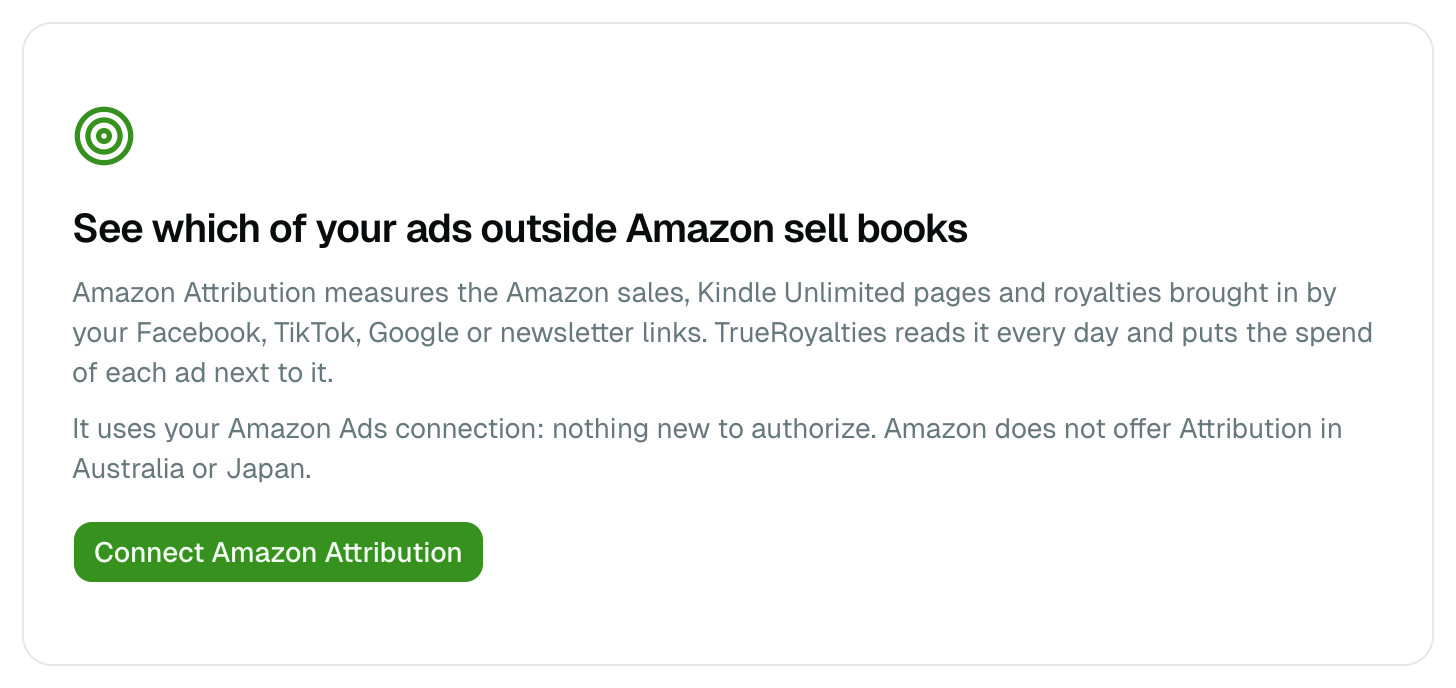
The first import brings back up to 13 months of history, then the page updates once a day, as Amazon does. Update now asks again at most once an hour.
Get a link to use in your ad
- Under Generate an Attribution link, choose the book, the marketplace, where the link will be used, and a campaign name only you will see.
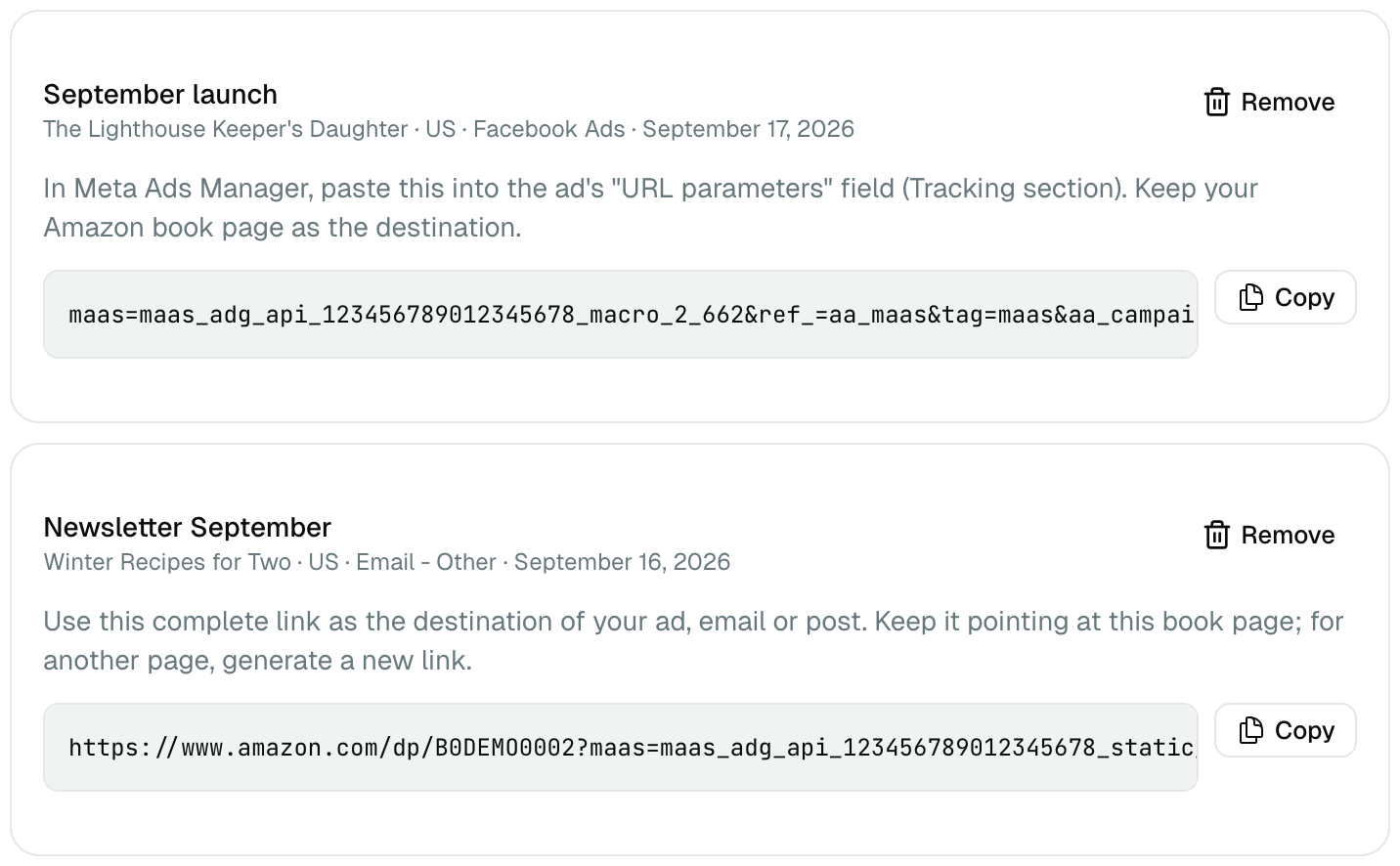
- Click Generate the link. It appears in Your links, with the exact text to paste and where to paste it.
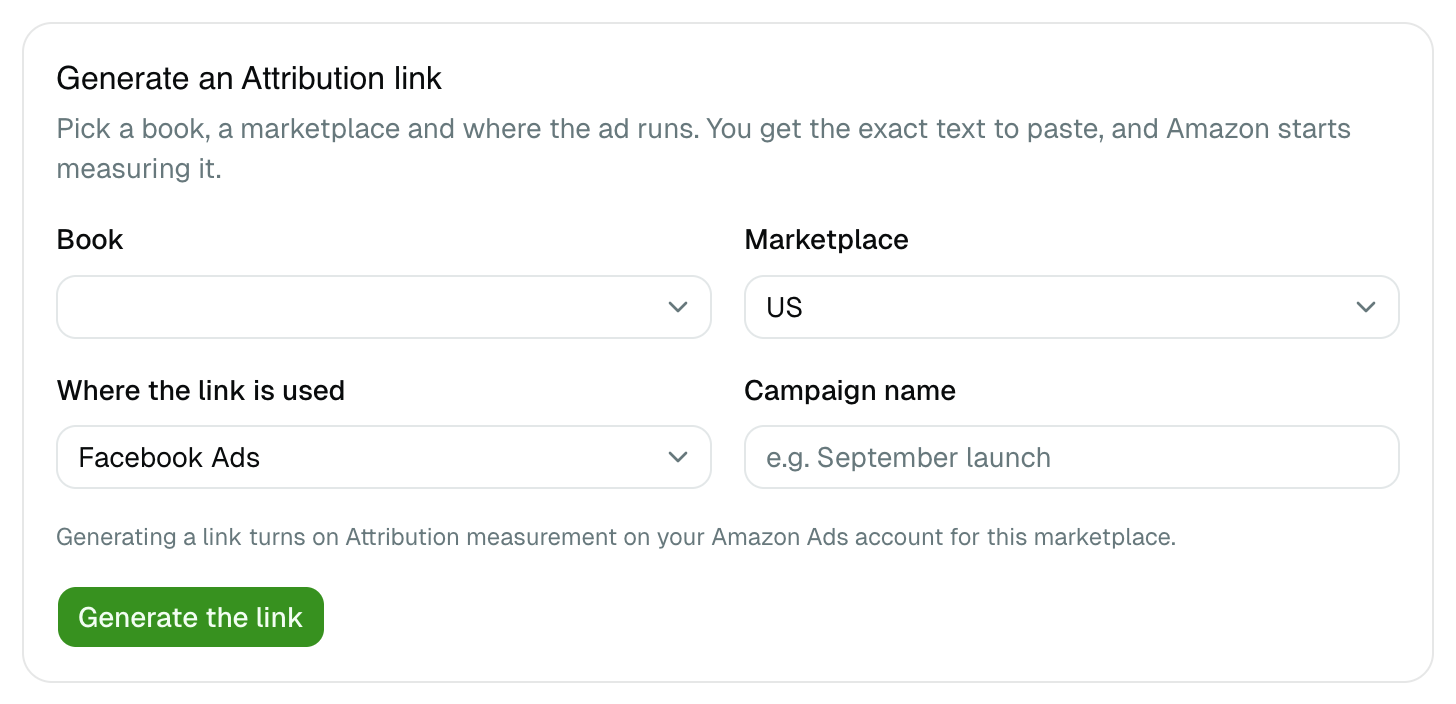
What you paste depends on where the ad runs:
| Where the link is used | What you copy | Where it goes |
|---|---|---|
| Facebook Ads | A line of URL parameters | The ad's URL parameters field (Tracking section) in Meta Ads Manager. Keep your Amazon book page as the destination |
| Google Ads, Microsoft Ads | A tracking template | The campaign's tracking template. Keep your Amazon book page as the final URL |
| Pinterest Ads | A line of URL parameters | The ad's URL parameters or tracking field |
| TikTok, email, blog, YouTube and the rest | A complete link | Use it as is, as the destination of the ad, email or post |
Three rules from Amazon, worth following:
- One link per marketplace. A link made for the US store measures nothing on amazon.co.uk.
- One link, one book page. Never point a link at a different page. To send readers somewhere else, generate a new link.
- Generating a link turns on Attribution measurement on your Amazon Ads account for that marketplace. That is what makes it count.
Remove only takes a link off your list in TrueRoyalties. Amazon keeps measuring any ad that still uses it.
Read the results
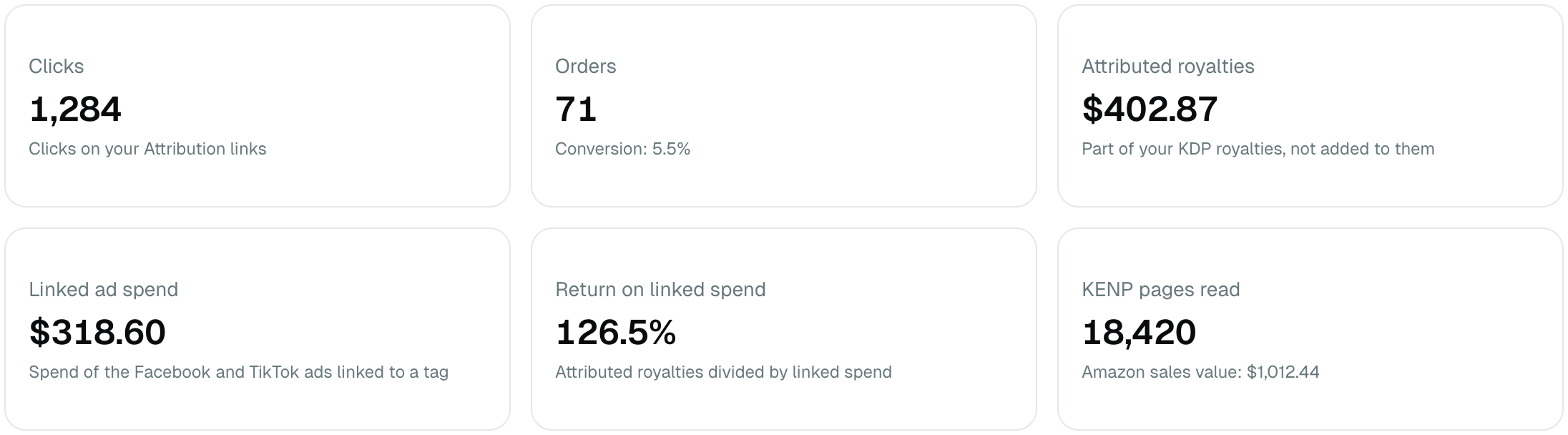
| Figure | What it means |
|---|---|
| Clicks | Clicks on your Attribution links |
| Orders | Orders Amazon credits to those clicks, with the conversion rate (orders ÷ clicks) |
| Attributed royalties | The part of your KDP royalties those orders and pages earned |
| Linked ad spend | What the Facebook and TikTok ads using these links cost |
| Return on linked spend | Attributed royalties ÷ linked ad spend |
| KENP pages read | Kindle Unlimited pages read after a click, and the retail value of the sales |
The dates follow the date range and currency at the top of the page.
By link
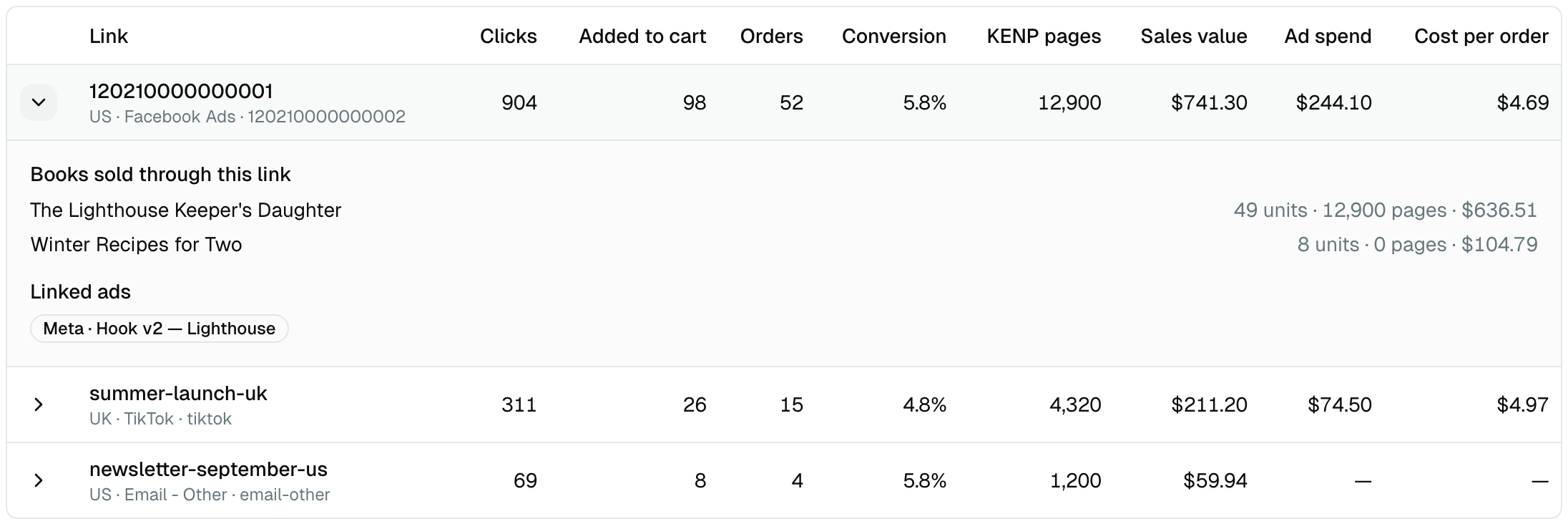
One row per link. Click the arrow to see which books it sold and which ads use it.
Spend is filled in automatically when the ad is in a Facebook or TikTok account you connected:
- Facebook: the link's parameters carry the ad's own ID, so every ad is matched to its row.
- TikTok: the complete link you pasted is matched to the ad that uses it.
When several ads share one link, the row says so: its results belong to all of them together.
By book

Attributed royalties are calculated from KDP, not from Amazon's sales value:
- each unit Amazon credits earns what that book actually earned per unit, on that marketplace, over the period;
- never more units than KDP recorded — when Amazon counted more, the row shows both numbers;
- for Kindle Unlimited, we keep Amazon's estimate for the pages read, capped at the Kindle Unlimited royalties KDP paid you for that book and marketplace.
When a figure is 0 or missing
| What you see | Why |
|---|---|
| Every figure is 0 | Amazon shows 0 for a link until it has had 10 clicks in total, to protect shoppers' privacy |
| Clicks but no orders yet | Clicks appear within 24 hours, orders within 48. Amazon also corrects the last 28 days, and we re-read them daily |
| No book under a link | Amazon keeps the book detail for the last 90 days only |
| No spend on a link | The ad is not in a connected Facebook or TikTok account, or the link was not pasted where the table above says |
| "No Attribution link has recorded a click" | No link with an Attribution tag was clicked in this period |
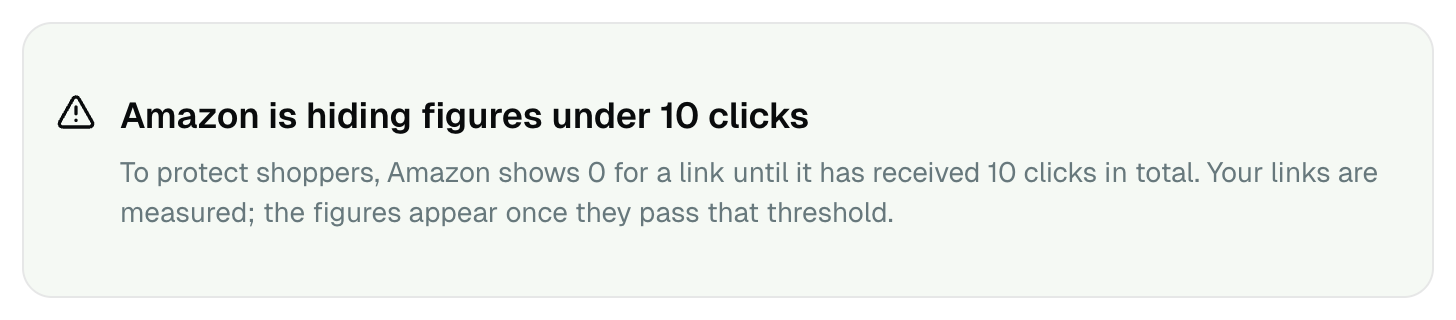
Two more limits. Amazon only credits clicks — someone who saw your ad and searched for the book later is not counted. And a sale is credited to the last Attribution link clicked in the 14 days before it.