
Mobile app (iPhone and Android)
Install the free TrueRoyalties app, sign in with your account, and check your net profit, books and storefronts on your phone, with a home-screen widget.
The TrueRoyalties app shows your dashboard on your phone: the same account and the same figures as the website. It is free, has nothing to buy, and only reads.
Install it


On a computer, open trueroyalties.com/get-app on your phone instead: it opens the right store for that phone.
| Phone | Requirement |
|---|---|
| iPhone | iOS 16.4 or later. On an iPad, the iPhone app opens in compatibility mode. |
| Android | Any recent Android phone, from Google Play. |
Sign in
- Open the app and enter the email of your TrueRoyalties account.
- Enter the 6-digit code we email you. You may be asked to confirm you are human first.
- You stay signed in until you sign out from the Account tab.
The app has no sign-up. Create your account and connect your platforms on the website first (Quick start). Not a customer yet? Tap Try the demo on the sign-in screen to explore the app with sample figures.
If your subscription has ended, your reading is paused, or no platform is connected yet, the app says so and offers only Sign out. Fix it on the website, then open the app again.
What it shows
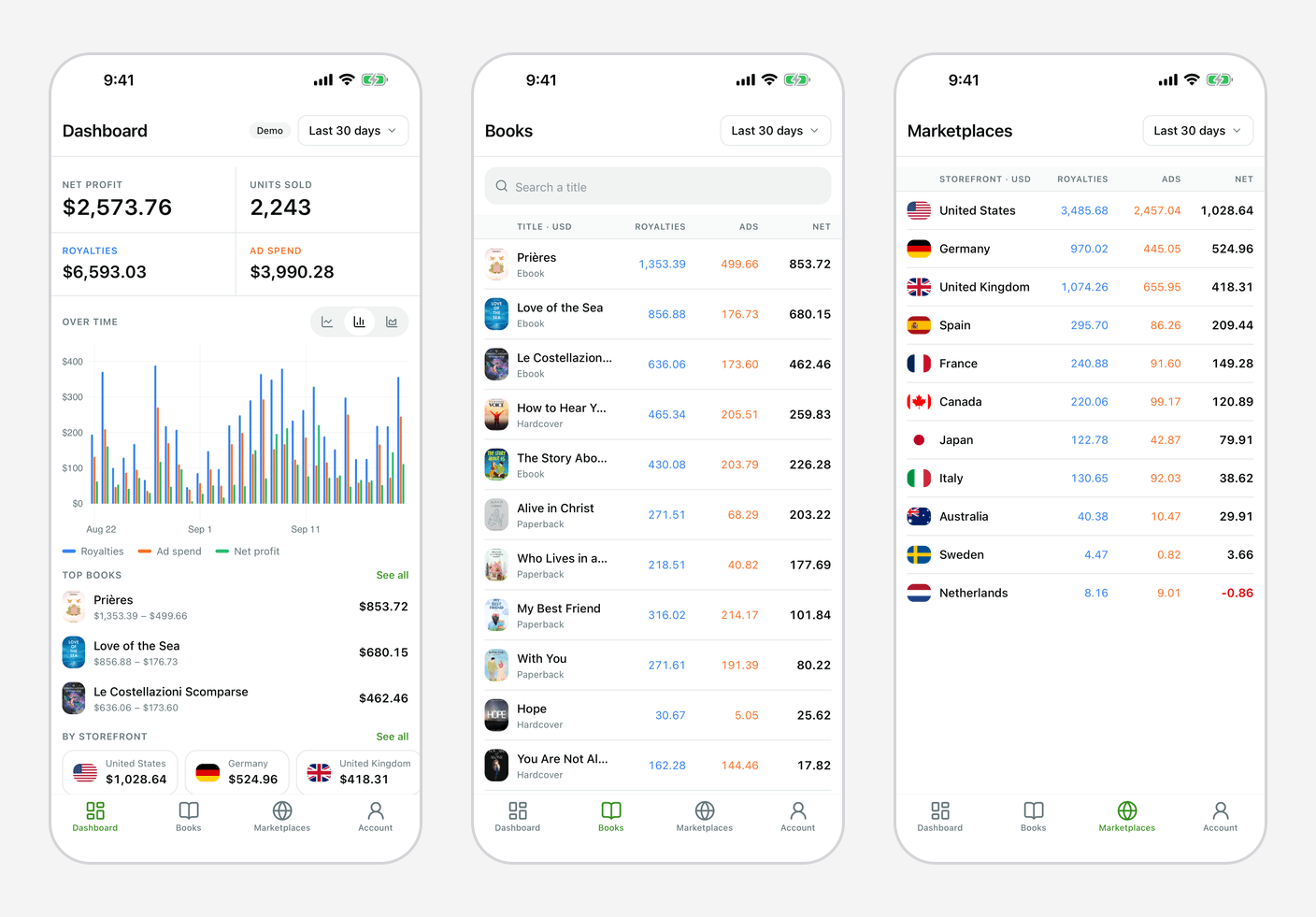
| Tab | What you see |
|---|---|
| Dashboard | Net profit, units sold, royalties and ad spend for the period, a chart, your top books and your best storefronts |
| Books | Every title with its royalties, ad spend and net profit. Search, then tap a book to see it per storefront |
| Marketplaces | Royalties, ad spend and net profit for each storefront |
| Account | Currency, language, help, the privacy policy and Sign out |
- Period: tap it at the top of the screen. You get the website's presets, or your own dates.
- Currency: chosen in Account. It only changes this phone; your account's reporting currency stays the one set on the website.
- Chart: lines, bars or areas, kept on this phone.
- The app follows your phone's language and its light or dark theme.
The figures come from the same calculations as the website (taxes, ad VAT and currency conversion included), so they match your dashboard. They move when your platforms sync, as described in Sync and data freshness.
Home-screen widget
The widget shows your net profit for the last 30 days, today's net profit, royalties, ad spend, units sold and your top books. Its period is always the last 30 days.
| How to add it | Updates | |
|---|---|---|
| iPhone | Touch and hold the Home Screen, tap Edit, then Add Widget, and pick TrueRoyalties. Small, medium and large sizes, plus the Lock Screen. | When the app is open, and in the background when iOS allows it |
| Android | Touch and hold the home screen, tap Widgets, and drag TrueRoyalties onto it. Resize it to show more or less. | By itself, every hour |
When you sign out, the widget stops showing your figures.
What stays on the website
The app only reads. Connecting platforms, settings, billing, and the KENP, series, reviews, orders and Smart Links pages are on the website. The app sends no notifications yet.