
Filter your data by platform
Narrow every figure to the platforms you choose — and what changes when you leave one out.
What the filter does
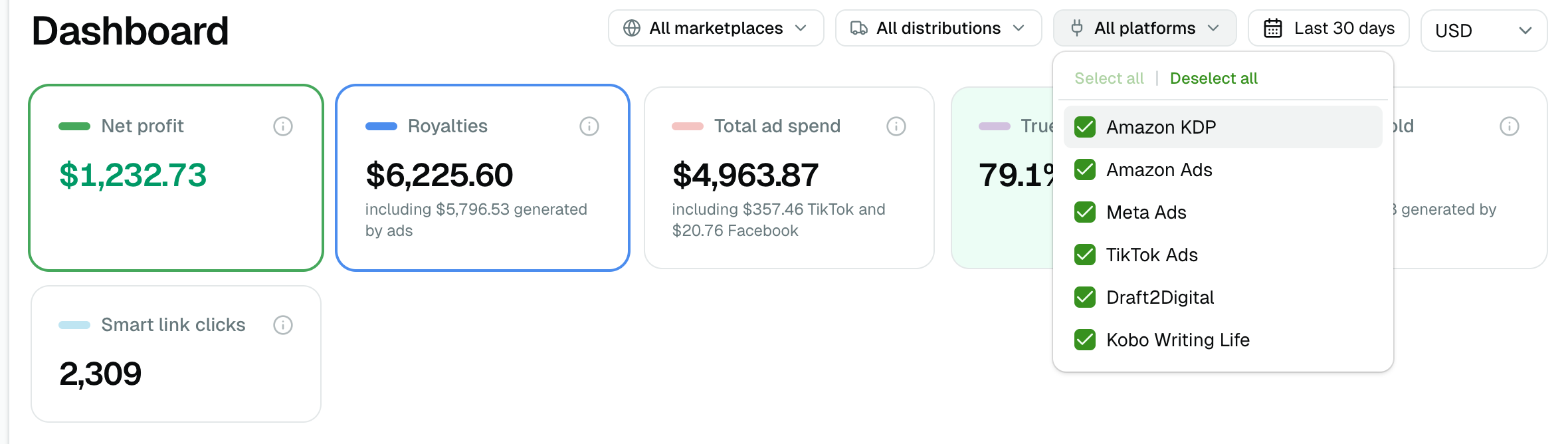
All platforms sits in the filter bar next to the currency and the date range. Tick the platforms you want and every figure on the page is rebuilt from those platforms alone — not just the totals, but the metrics derived from them too.
It offers the platforms you can connect today: Amazon KDP, Draft2Digital, Kobo Writing Life, Amazon Ads, Meta Ads and TikTok Ads. The list grows on its own as we add platforms — there is nothing to switch on.
Leaving it on All platforms is the same as not filtering. Clearing every tick does the same thing, so you can never blank a page by accident.
Where you can use it
| Page | What the filter narrows |
|---|---|
| Dashboard | Net profit, royalties, ad spend, the chart, every card |
| Orders | Units, and the paid-versus-organic split |
| Books | Every title's row, and its per-marketplace breakdown |
| Series | Each series' totals |
| Marketplaces | Each storefront's row |
| Comparison | The donut, the timeline and the leverage curve |
KENP has no platform filter, on purpose: pages read come from KDP and carry no advertising, so the control could not change a single number there.
What changes when you leave a platform out
Leave out an ad platform and its cost disappears from the whole page — so net profit rises. This is the "what would my month look like if I stopped advertising on TikTok" question, and it is the main reason the filter exists.
Everything computed from that spend follows, which is the part worth knowing:
- TACOS and average CPC are recalculated on what is left. Leave out Amazon Ads and both disappear — clicks and ad-attributed sales are Amazon's alone.
- Impressions and clicks count only the platforms still ticked.
- Ad-generated units shrink to the ads that remain.
Leave out a revenue platform and its royalties go with it. Keep only Kobo Writing Life and you see what Kobo earned you, with no Amazon sales in the way. Tick no revenue platform at all and the page shows cost and no income — correct, and worth expecting before you do it.
Your own expenses (the costs you enter yourself) leave a view that keeps no revenue platform. They are not a platform's cost, so charging them to an advertising-only view would show a loss that is not that platform's.
What it does not do
The filter narrows by who reported the row, not by where the sale happened. A book sold on Apple Books through Draft2Digital is a Draft2Digital row, because Draft2Digital is who reported it — and who took a cut on the way. The shops themselves are a separate question, and the Retailers page answers that one.
More platforms join this list as we connect them; the ones marked Coming soon on the Platforms page are what is next.
The filter lives in the page's address, so a filtered view is a link you can bookmark or share and find the same numbers.