
Smart links
One link. Every reader lands in their own Amazon store — one that actually sells your book — and you can re-point it later without reprinting anything.
Followed a bkto.link link and ended up here?
bkto.link is the link shortener TrueRoyalties gives to book authors. A link
like bkto.link/x7k2 is created by an author and opens their book on your
local Amazon store.
If you landed here instead of on a book, the link was probably mistyped — they are short, so one wrong character is enough. Ask the author for it again.
What a smart link is
A short link you create once and share everywhere: a Facebook ad, a newsletter, your Instagram bio, the back matter of your paperback.
When someone opens it, we look at which country they are in and send them to their own Amazon storefront — amazon.de for a reader in Germany, amazon.ca for one in Canada.
Why not just paste your Amazon link
Because an amazon.com link only works for readers in the United States.
Everyone else lands on a page where they cannot buy, and most of them leave.
A smart link also checks that your book is actually sold in the store it is about to send someone to. An ebook has no Kindle store in Poland or Sweden, and a hardcover is not sold in Japan — so a reader there is sent to a store that does have your book, instead of a dead page.
Create one
- Open Smart Links in the menu, then Create smart link.
- Choose where it should send readers:
| Destination | What the reader gets |
|---|---|
| Buy the book | Your book's page, in their own Amazon store |
| Leave a review | Amazon's review form, straight to the stars |
| See the reviews | Your book's review page — Amazon's own "Write a customer review" button is on it |
| Any other URL | Whatever you paste — newsletter, retailer, landing page |
| A different URL per country | One URL per country you choose, plus a default for everyone else |
- Pick the book. Give the link a name — only you ever see it.
- Optionally add a custom ending, so the link reads
bkto.link/dragon-book-1instead ofbkto.link/x7k2.
You need a connected KDP account and an active subscription to create links.
Collecting reviews
Reviews are the thing a smart link is best at, because the hard part has never been writing the review — it is the reader finding the right page on the right Amazon store.
The setup that works:
- Create a Leave a review link, and pick every book — there is a Select all button. You get one link per title, each with its own address.
- Put its QR code on the last page of the paperback, right after the end of the story. That is the moment a reader is most willing.
- Put the link itself in the ebook's back matter, where a QR code is useless — nobody scans the screen they are reading on.
Which of the two review destinations? Leave a review is the shortest path — the form opens directly. See the reviews is better when the reviews you already have are themselves the argument: the reader reads a few, then uses Amazon's own button on that page.
Either way, the reader lands on their own Amazon store. A German reader asked to review on amazon.com simply cannot.
Several books at once
Pick more than one book and you get one link per book, created together. This is how you give forty titles a "leave a review" link without doing it forty times. The name you type becomes their shared prefix; each link still has its own address and its own statistics.
A book you have not published yet
Choose Not published yet? and type the ASIN by hand. Use it for a pre-order, or for a title that is not in your catalogue. Once KDP has synced the book, edit the link and pick the real book — the address does not change, so anything already printed keeps working.
Auto-localise a URL you pasted
When you choose Any other URL or A different URL per country, leave Auto-localise store links on.
If the URL points at Amazon or Apple Books, we open it in the reader's own store instead of the one you happened to copy. Any other URL — your blog, your newsletter — is left exactly as you typed it.
Amazon Associates tags
Click Associates tags above the list and enter the tag Amazon gave you for
each store: they are different everywhere (yourname-20 on .com, yourname-21
on .co.uk, and so on). Then switch on Add my Amazon Associates tag on any
link.
The link then carries the right tag for whichever store the reader lands on. A store you leave blank simply gets a clean link — never someone else's tag.
Amazon does not allow affiliate links in printed material, ebooks or email. Your QR code and the Copy for back matter / email button drop the tag automatically, so a tagged link stays safe to print.
Amazon also asks that you not hide where a link leads. Say it where you post it — "Buy on Amazon: bkto.link/…" — rather than letting the short address stand alone.
QR codes
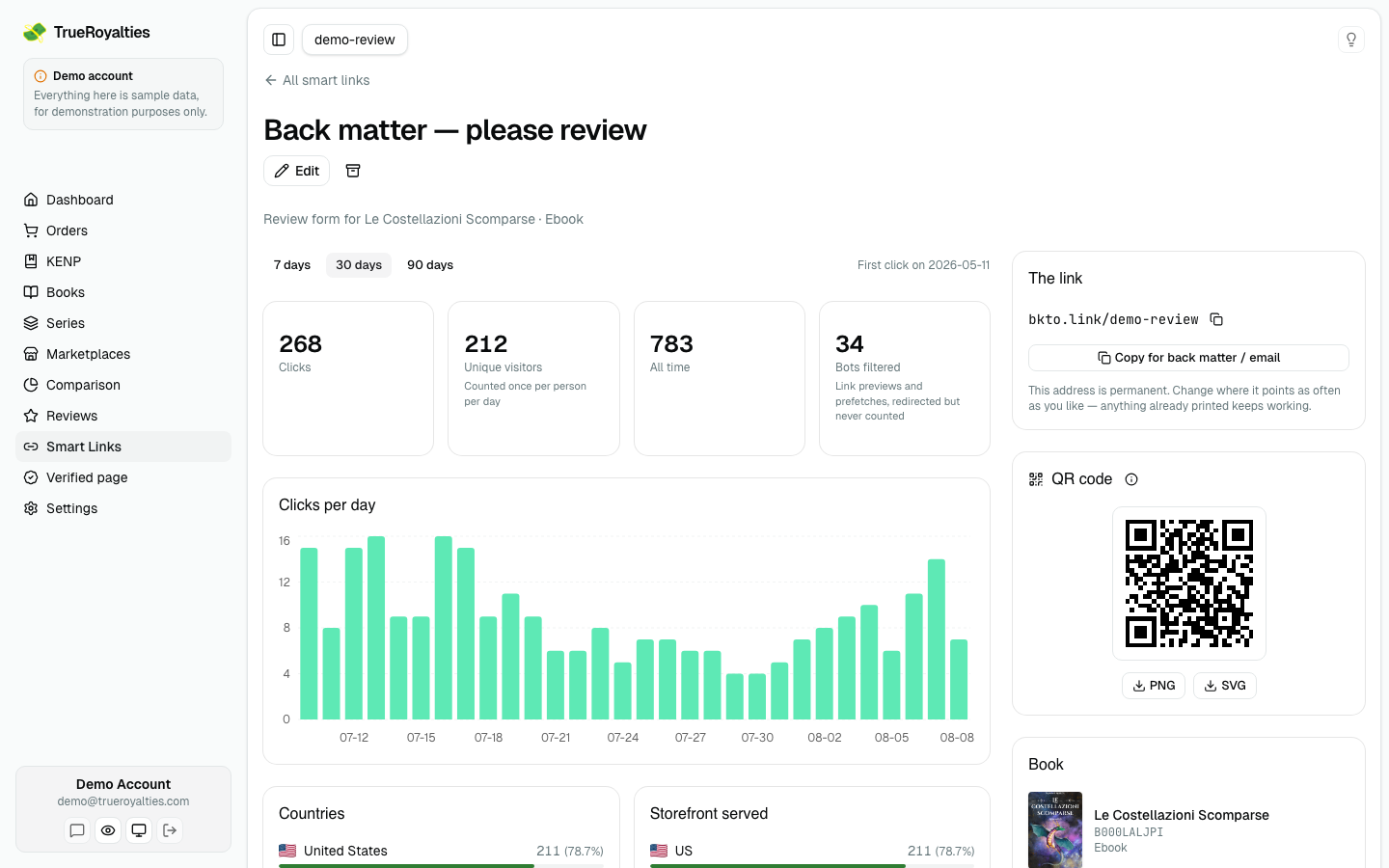
Every link has one, on its own page. Download it as PNG or SVG — print the SVG when your designer accepts it, because a vector cannot blur.
Click the i next to the QR code for a list of places to put it: the last page of your paperback, a bookmark, a table sign at a fair, an Instagram story, the end screen of a video. It also says where not to: inside an ebook, where nobody can scan the screen they are reading.
Scans are counted separately — they show up as QR code scan in Came from, so you can tell them from social traffic.
Make it look like yours
Customise opens the design panel: the colours, the shape of the modules and of the three corner squares, your book's cover in the middle, a round outline, and a caption underneath. A caption is the setting worth using — "Scan to leave a review" earns far more scans than a bare code, because it says what the reader gets, and it sits outside the code so it costs no readable data.
Two checks run on every change, and they answer different questions:
| Check | What it proves |
|---|---|
| Reads back | We shrink the finished code to the size a phone camera sees, then decode it again. This is what catches a logo that has eaten too much of the data. |
| Contrast | The dark-to-light ratio, against the 4.5:1 print standard. Decoders read pale codes that a phone in a dim room will not. |
A code can pass the first and fail the second, and that is the trap worth knowing: pink on lavender decodes perfectly on your screen and dies on paper.
Your design is saved with the link, so every later download matches it. Reset to plain always returns black on white — the most scannable code there is.
For anything that is not a smart link, the same designer is free and needs no account: QR code generator.
What you can see
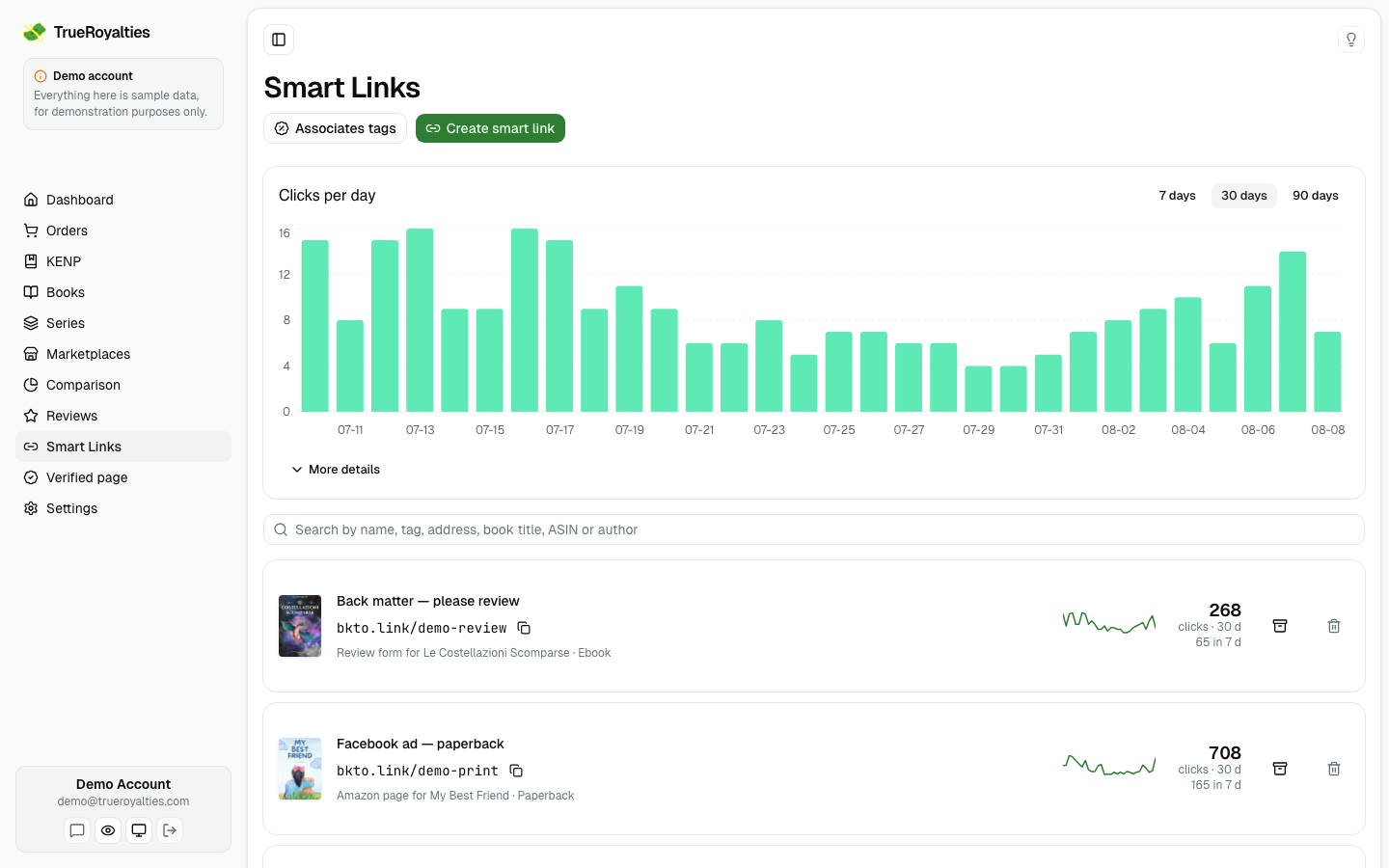
| Where | What it shows |
|---|---|
| Top of the page | Clicks per day across every link, over 7, 30 or 90 days |
| More details | Clicks, unique visitors, all-time total, bots filtered — then countries, storefront served, devices and where the clicks came from, for the whole account |
| Each row | That link's clicks over the same window, with a small daily graph |
| A link's page | The same figures and breakdowns, for that one link |
The headline is always the sum of the list underneath it — same data, same window.
Clicks appear immediately — no waiting, and an open page updates on its own.
Link previews do not count. When you paste a link into Facebook, Slack or WhatsApp, those services open it themselves to build the preview card — we recognise them and leave them out, so your numbers stay about real readers.
On your dashboard
Once you have a link, Smart link clicks appears as a card on your dashboard. Click it and the clicks are drawn over your royalties and ad spend, on their own axis — which is the point: it puts what your marketing did next to what it earned.
Two honest limits. The card follows your marketplace filter, but it disappears when you filter by distribution (Kindle Unlimited, Retail…): a click happens before the reader has chosen anything, so it belongs to no channel and we would rather remove the number than show one that ignores your filter.
Organise them
- Tags — comma-separated when you create or edit a link. The list shows them as chips you can click to filter.
- Description — a line of your own to tell two similar links apart.
- Search — matches the link's name, its tags, its description, its address, and the book's title, ASIN or author.
Changing, archiving, deleting
You can change a link's destination at any time. Its address never changes — that is the whole point. A link printed inside a paperback keeps working years later, even if you move the book to a new edition.
| Action | What happens |
|---|---|
| Edit | New destination, same address. Takes effect immediately, everywhere. |
| Archive | The link stops resolving, but its address stays reserved so nobody else can take it. Reversible. |
| Delete | Gone for good. The address is freed and anything already printed stops working — and someone else could later take it. |
Every author's links share one domain, so we can also disable a link ourselves if it is reported for abuse. That is rare and it is not a judgement on your writing: one flagged link would otherwise get the whole domain blocklisted, taking down everyone's printed links at once. A disabled link shows a page saying so, and you can write to us about it.
What we record about people who click
So you can answer if a reader asks: for each click we keep the date, a country, a device category (mobile, tablet or desktop), the domain the visitor came from, and which Amazon store we sent them to.
We do not store their IP address. To tell a repeat visit from a new one on the same day we keep a one-way hash of it that changes daily and cannot be turned back into an address. Following a link sets no cookie, and individual click records are deleted after 90 days — the daily totals behind your charts stay. Full detail in the privacy policy.
What smart links will not do
- They cannot beat a VPN. A French reader browsing through a US VPN looks American to every website, ours included.
- Clicks are not sales. Amazon tells nobody which click led to which purchase. A click count tells you your link is working, not what it earned.