
Get started with the API
Create an API key, make your first call and read the answer. The TrueRoyalties API lets a spreadsheet, a script or an automation read your figures.
The TrueRoyalties API lets your own tools — a spreadsheet, a script, an automation — read the figures you see in the app: royalties, ad spend and net profit, per book and per marketplace, plus Kindle Unlimited pages read, free downloads and series read-through.
It is read-only. A key reads everything in your account and changes nothing: no sync, no setting, no book. The API is included in every plan and during the free trial.
To ask claude.ai or ChatGPT about your figures, you need no key: see Connect an AI assistant.
1. Create a key
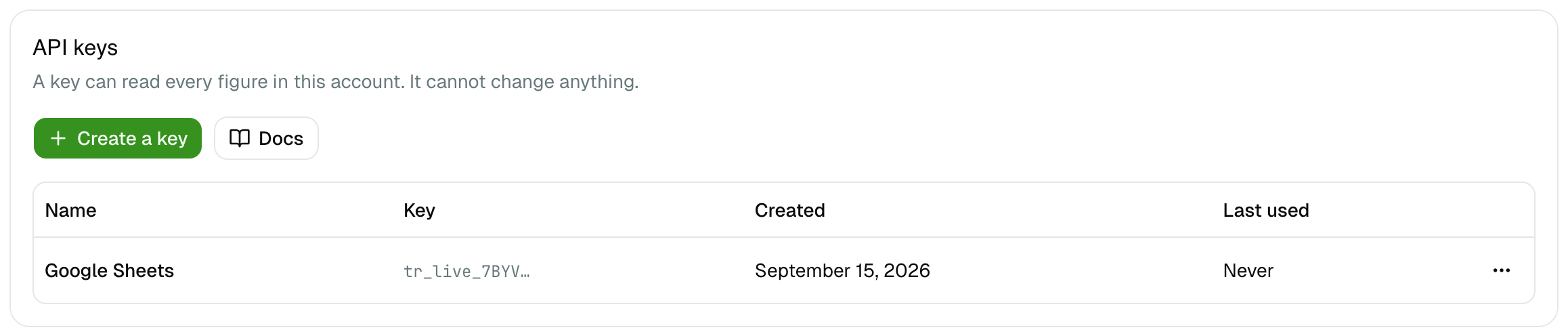
Settings → API → Create a key. Name it after the tool that will use it, for
example "Google Sheets", then copy the key. It starts with tr_live_ and is shown
only once.
How many keys you can hold and how to revoke one: Authentication and API keys.
2. Make your first call
Every request goes to https://author.trueroyalties.com/api/v1 and carries your
key in the Authorization header:
curl https://author.trueroyalties.com/api/v1/account \
  -H "Authorization: Bearer YOUR_API_KEY"
/account is a good first call: it proves the key works and tells you how fresh
your data is.
{
  "reporting_currency": "USD",
  "is_demo": false,
  "subscription": { "status": "active" },
  "platforms": [
    {
      "platform_id": "amazon-kdp",
      "name": "Amazon KDP",
      "connected": true,
      "last_sync_at": "2026-09-15T08:02:11.000Z",
      "sync_status": "success",
      "covered_through": "2026-09-14"
    }
  ],
  "api_key": {
    "name": "Google Sheets",
    "start": "tr_live_ab12",
    "scopes": ["read"],
    "created_at": "2026-09-15T07:55:00.000Z",
    "last_used_at": null
  },
  "connected_app": null
}
3. Ask for your figures
/summary returns the totals of a period, the same numbers as your dashboard
cards:
curl "https://author.trueroyalties.com/api/v1/summary?range=last_30_days" \
  -H "Authorization: Bearer YOUR_API_KEY"
Three fields to read in every report:
| Field | What it tells you |
|---|---|
period | The exact days covered, and the time zone used to decide which day is "today". |
currency | The currency of every amount. By default your reporting currency; add currency=EUR to change it. |
meta.truncated | true when some rows could not be read, so the figures may be short. Ask for a shorter period. |
Periods, currencies and rounding are explained in Limits and errors.
What you can read
| Endpoint | Returns |
|---|---|
GET /api/v1/account | Reporting currency, subscription, connected platforms and their last sync |
GET /api/v1/summary | The totals of a period |
GET /api/v1/timeline | The same figures, day by day or month by month |
GET /api/v1/reports/books | One line per book |
GET /api/v1/reports/marketplaces | One line per marketplace |
GET /api/v1/books | Your catalogue |
GET /api/v1/series | Your series, with their books in order |
GET /api/v1/kenp | Kindle Unlimited pages read |
GET /api/v1/kenp/books | Pages read, book by book |
GET /api/v1/free-units | Free downloads, never counted as royalties |
GET /api/v1/series/{series_id}/read-through | The read-through of one series, book by book |
Every parameter and every field is in the API reference. Its Try it button is pre-filled with a public demo key, so you can test each endpoint without an account: the answers then come from the demo account's synthetic figures.