
Your verified page
Publish a public page of your KDP royalties that other people can actually trust — and choose exactly how much of it to show.
What it is
A page at trueroyalties.com/verified/your-name showing your KDP figures, computed by TrueRoyalties from your own KDP reports and Amazon Ads account.
You choose what appears on it. You cannot change what it says — and that is the whole point. A screenshot can be edited in a browser in ten seconds, so nobody trusts one. This is checkable by the person reading it.
Common uses: backing an income claim in a course or a YouTube video, selling a pen name, applying for a sponsorship, or showing a partner a real track record.
Setting it up
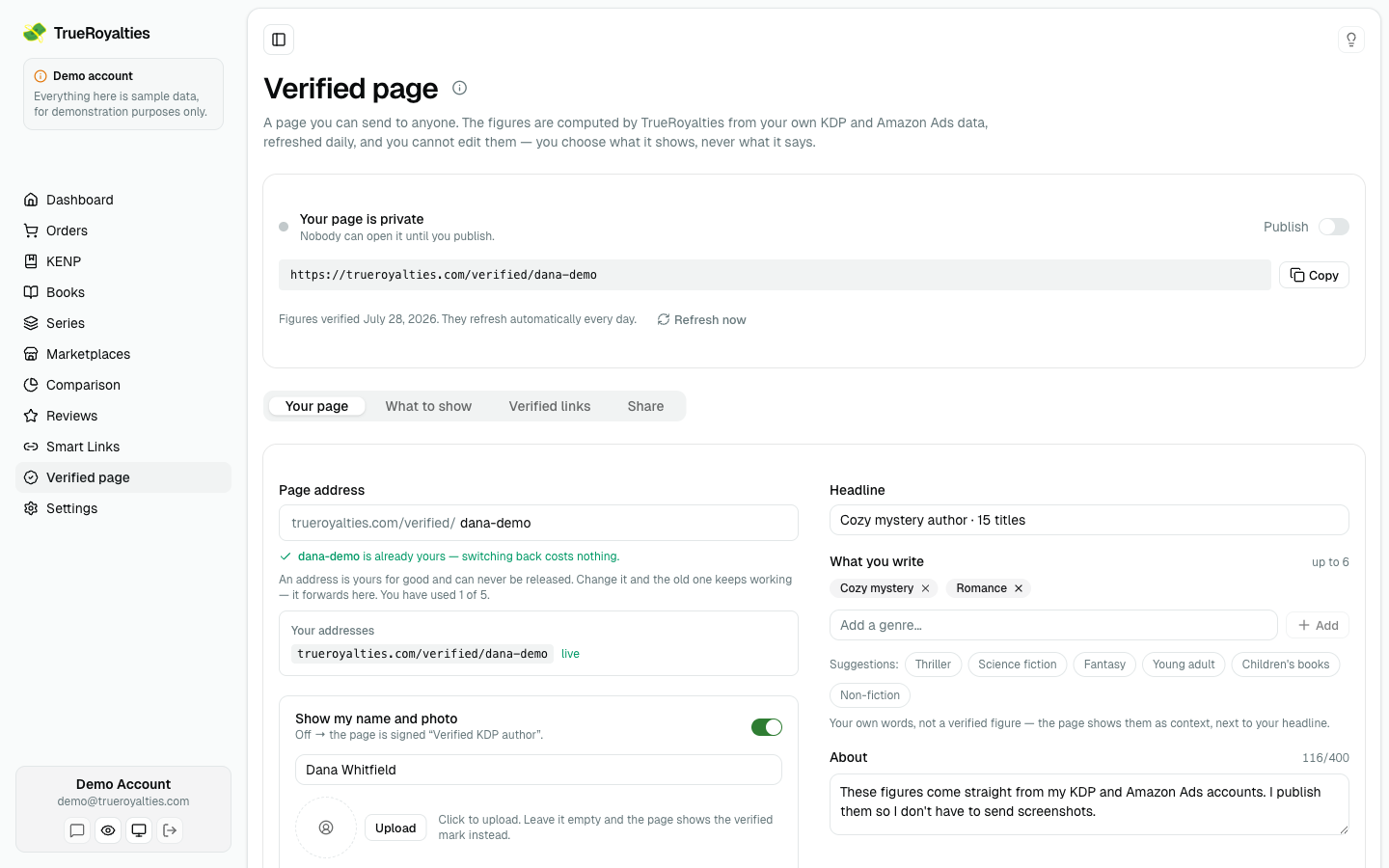
- Open Verified page in the sidebar.
- Pick your page address — the part after
/verified/. The field tells you as you type whether it is free. - Choose your metrics, your time periods and which blocks to include.
- Choose how much of each amount to show (see below).
- Turn on publish.
The preview at the bottom of the page is the real page, updating as you click.
You need a connected KDP account with at least one completed sync. Until then there is nothing to verify.
What you can put on it
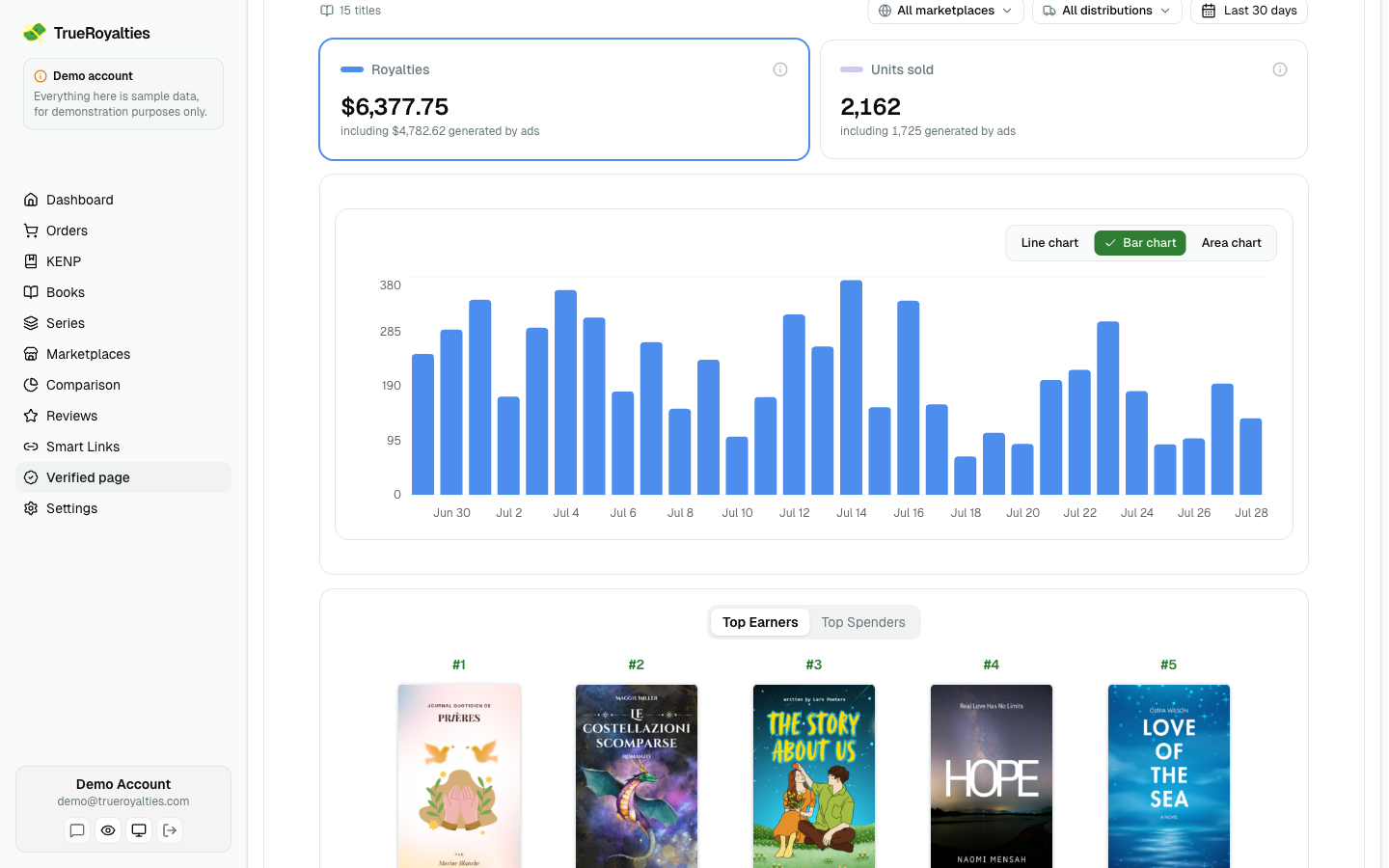
Your page is built from the same blocks as your dashboard. Everything except the figures themselves is optional.
| Block | What a visitor gets |
|---|---|
| Metric cards | Royalties, net profit, ad spend, units, True ACOS — whichever you pick. Click one to plot it. Royalties and units also show how much of the period your ads brought in. |
| Trend chart | The same chart as your dashboard, over the selected period. |
| Period filter | Always there. It drives the cards and the chart together. Every period is selected to start with. |
| Marketplace filter | Lets a reader narrow the page to one or more storefronts. |
| Distribution filter | Retail, Expanded Distribution, Kindle Unlimited. |
| Top books | Your five best titles for the period, ranked by royalties or by ad spend. Needs "Show my book titles and covers". |
| Units by marketplace | Copies sold per storefront and format. |
A reader who narrows by marketplace or distribution sees the cards and the chart follow. Two details worth knowing:
- Top books is ranked over the whole period, across every storefront — the card says so when a filter is on.
- Units by marketplace counts copies, so the distribution filter does not apply to it: Kindle Unlimited is measured in pages read, not copies.
- Top books disappears when you hide your books or your amounts — every line of that card is a title with money next to it, so there is nothing left to show.
Your page address
You can claim up to 5 addresses in total, and one is live at a time.
An address is yours for good — it can never be released, and you cannot delete it. That sounds strict and it is what protects you: change your address and the old one keeps working, forwarding to the new page. A link you put in a book's back matter will not die because you renamed yourself two years later.
Switching back to an address you already own costs nothing. Only a brand-new one uses up one of the five, and the editor shows you how many are left, with the full list of yours.
Some addresses are refused: our own name and Amazon's (a page pretending to speak for either is the one lie worth telling here), the words a scam page needs, and obscenities. If yours is refused and you think it should not be, tell us.
How much to show
The amount display setting applies to money only:
| Setting | A visitor sees |
|---|---|
| Exact amounts | $12,480 |
| Rounded amounts | $12.5K |
| Ranges only | $10K – $25K |
| Hide amounts | No figure at all — only growth and the trend |
Whatever you choose is applied before the page is sent. A rounded or hidden amount is not on the page in any form, so nobody can dig the real number out of it.
Counts are always exact. Units sold, titles published and marketplaces are shown as they are — a rounded count would be misleading ("10 titles" when you have 7). If you would rather not share one, leave that metric out.
Ranges and hidden amounts remove the Top books card entirely. Every line of that card is a per-book amount, so there is nothing left to show — covers, titles and figures are all left out of the page, not merely hidden from view.
Growth still shows when amounts are hidden. A percentage compares two hidden numbers, so it gives neither away.
If you mask amounts, a filtered view shows no money. With ranges or hidden amounts there is no honest figure to state for one storefront on its own, so the money cards read "Not shown" while units and the shape of the trend keep working.
Showing who you are
Two switches, side by side, and nothing else decides this:
| Switch | What becomes public |
|---|---|
| Show my name and photo | Your name and your picture. Off → the page is signed "Verified KDP author". |
| Show my book titles and covers | Your catalogue. Off → the page shows figures with no titles. |
They are separate on purpose. If the pen name you publish under on Amazon is not the name you use anywhere else, you can show yourself here without handing over the catalogue that would link the two.
Each switch is all-or-nothing inside itself: a photo with no name is still a face, and a cover with no title is still a book anyone can search for.
Both are off by default. Publishing your books asks you to confirm — a catalogue identifies its author on Amazon on its own, and once someone has seen the page you cannot take that back. If your name is already on the page, the confirmation says so plainly: the two are then tied together for good.
The figures are verified either way. That is the point — you can prove a number without attaching your pen name to it.
Proving the page is yours
Optional, and separate from the figures. Your numbers prove an account earns money; a verified link proves the account is yours.
Add your website, X, YouTube channel, newsletter or Amazon author page. We give you a one-time token, you place it on that page or profile, and we read it back. Only links we could actually verify appear publicly — a pending or failed one is visible to you alone.
For a website you can also add the token as a DNS TXT record, which is the sturdiest option: it survives a redesign or a change of theme.
If we cannot read your page, the extension checks it for you. A lot of sites — Wix, Squarespace, Webflow, Notion, and X, Instagram and TikTok — build their content with JavaScript. Our servers receive an empty shell, so your token can be plainly on the screen and completely absent from what we can see.
When that happens, the TrueRoyalties extension opens the page in a background tab in your own browser, where it renders normally, and sends back what it saw for us to check. The first time, your browser asks permission to read pages — open the extension and press Allow. It is asked once and covers every site from then on.
Without that permission, a page we cannot read cannot be verified. There is no other way for anyone to confirm a token that only exists after JavaScript runs. If you decline, the claim stays waiting and you can allow it at any time from the extension. You will also need the extension installed.
We re-check every verified link once a week. If the token disappears, the check mark does too — that is what stops "verified" from meaning "was verified once".
When the weekly check cannot find your token but the page loaded fine, your badge stays while the extension takes a second look — we do not take a page down because a site is JavaScript-rendered. If nothing confirms it within two weeks, the link is un-verified.
Sharing it
Four ways, all in the Share your page card:
- Link — for a bio, an email, a video description.
- Embed — an iframe for your own site or a sales page.
- Badge — a small image that links back to your page.
- Markdown — for a GitHub profile or a newsletter post.
The embed is an iframe rather than a script, so it cannot read anything from the page it sits on. That makes it much easier to get onto someone else's site.
The public directory
Separate, optional switch. Turning it on lists you on trueroyalties.com/verified alongside other verified authors. Leaving it off keeps your page fully working as a private link.
How fresh the figures are
Recalculated every day, and again whenever you change your settings, from the same figures your dashboard reads — so the page can never say something your own account does not. It always states the date it was last verified, so a reader can see for themselves. There is a Refresh now button if you need it sooner.
If your subscription lapses, your page stays online but stops refreshing — the "last verified" date on it tells the truth from then on.