
Organize your books
Group the editions of one book, archive the books that stopped selling, rename what you see — without changing a single figure.
Read from several platforms, one book shows up several times: once per platform, per format, per re-release. The Books page lets you tidy that up.
Nothing here changes a figure. A grouped or archived book counts exactly as before, in every total.
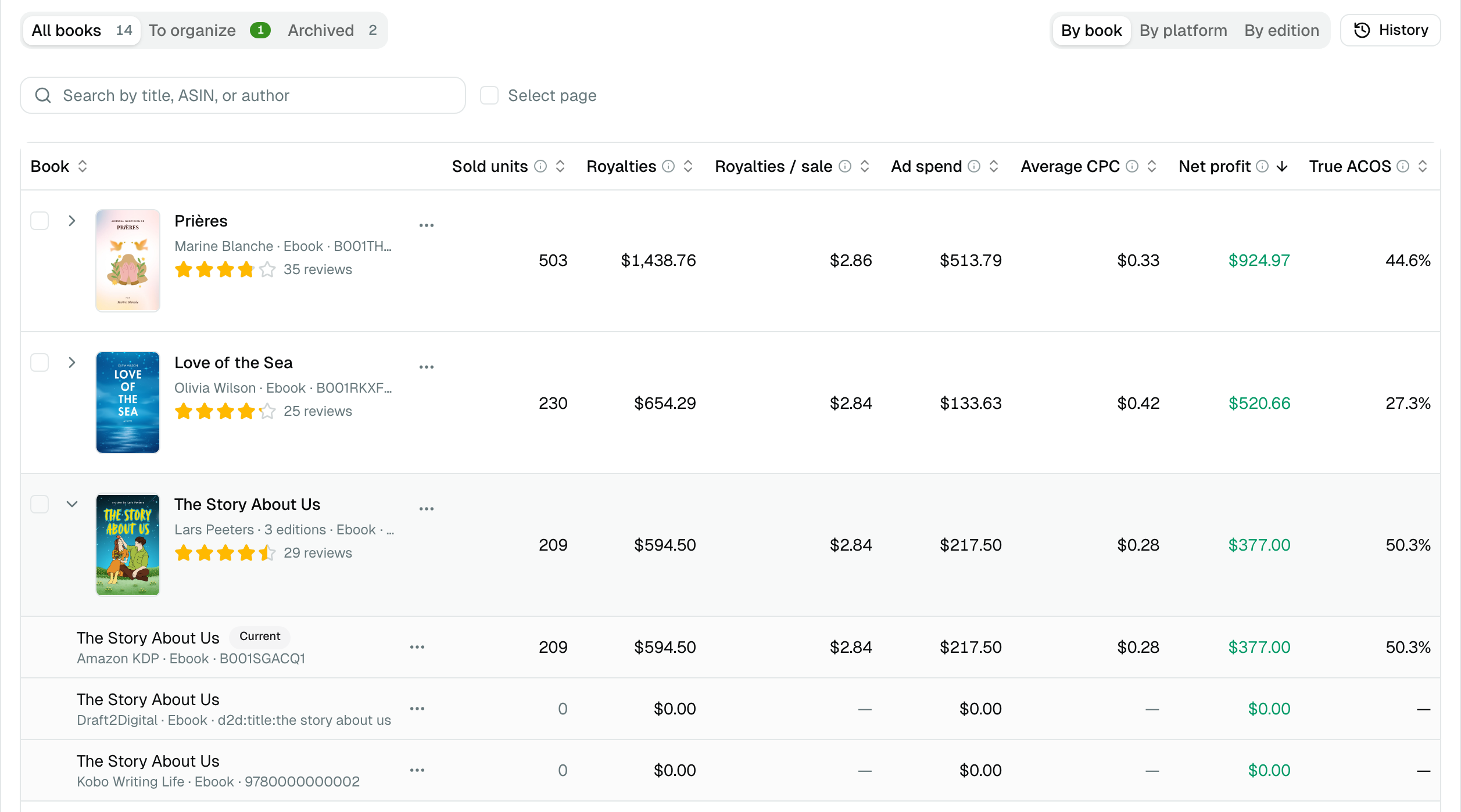
The three tabs
| Tab | What it shows |
|---|---|
| All books | Your books, archived ones hidden |
| To organize | Suggestions: editions that look like one book, books with no recent sale, pen names spelled two ways |
| Archived | The books you archived, to bring one back |
Group the editions of one book
- Open a row's ⋯ menu and choose Group with…, then tick the other editions — any platform, any format.
- Or tick several rows and click Group as one book.
The switch above the table decides how the list is cut:
| View | One line per |
|---|---|
| By book | Book, all its editions together |
| By platform | Book and platform |
| By edition | Edition, as each platform lists it |
Click a grouped book to unfold its editions, each with its own figures. An edition's ⋯ menu makes it the current edition (its cover represents the book), takes it out of the book, or archives it.
A grouped book's True ACOS, royalties per sale and average CPC are calculated over all its editions together — never an average of theirs.
Archive a book
⋯ → Archive, or tick several rows and click Archive. An archived book leaves your lists and pickers — the Book filter, Top Earners, the KENP title list, Reviews, the book picker of Smart Links and of ad assignment, manual entries. It stays in every total. Bring it back from the Archived tab.
Rename what you see
⋯ → Rename… changes the title shown in TrueRoyalties. The platform keeps its own title, a sync never overwrites yours, and the search finds both. Leave the field empty to go back to the platform's title.
To organize
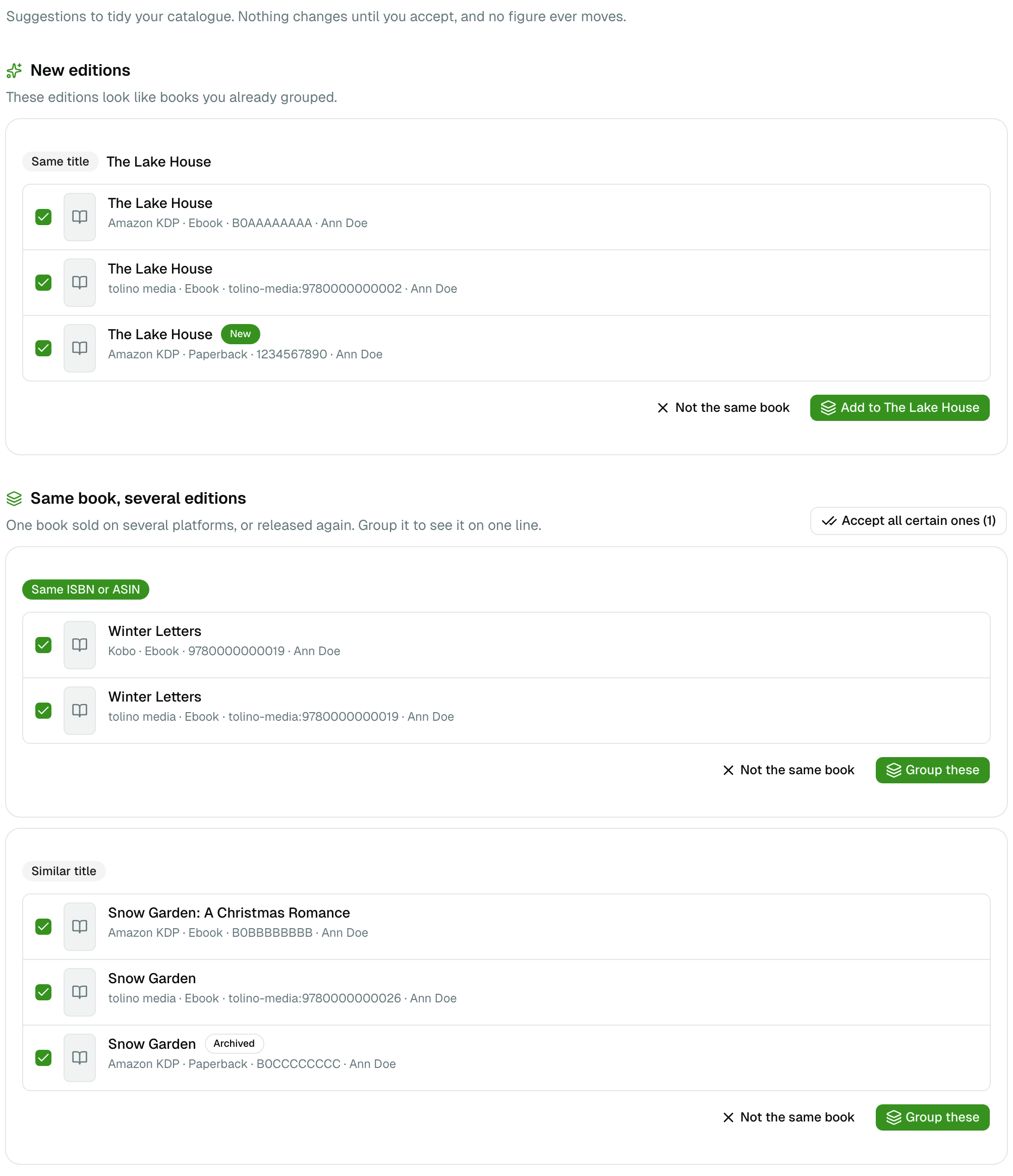
| Section | What to do |
|---|---|
| New editions | An edition that looks like a book you already grouped. Add to … |
| Same book, several editions | Untick an edition that does not belong, then Group these |
| No sale for 12 months | Archive one, or Archive all |
| One pen name, several spellings | Join as … so the Author filter shows one name |
Each suggestion carries its strength:
- Same ISBN or ASIN — certain. Accept all certain ones groups them in one click.
- Same title — same title, same author (or an author the platform does not report).
- Similar title — the same main title, with a subtitle on one side only.
Not the same book records your answer: that suggestion never comes back. An edition you untick is recorded the same way.
Two limits, plainly:
- A book renamed between editions, with no ISBN in common, cannot be found automatically. Group it by hand with Group with….
- Two books with the same title by different authors are never suggested.
When a new edition arrives, a number appears next to Books in the menu until you open To organize.
Undo anything
Every change shows an Undo button. History (top right) lists every change, newest first, with its own Undo — unless a later change touched the same books, in which case undo that one first.
Rules
In Settings → Preferences → Books, three rules tidy the catalogue for you. All are off until you turn them on, they run once a day and right after you save, and each change they make is in the History.
| Rule | What it does |
|---|---|
| Archive after | Archives a book after 6 to 36 months without a sale |
| Bring back on a sale | Takes an archived book out of the archive when it sells again |
| Group certain matches | Groups editions sharing an ISBN or ASIN, without asking |
The pen names you joined are listed there too; Separate splits one again.
Series
A series comes from your KDP bookshelf, so it only knows your KDP titles. When a book of the series has editions on other platforms, the series' read-through panel offers to add them: their readers then count on that book's line of the read-through.